NotebookLM + zlvox Tools: The AI Blog Writing Workflow Nobody Is Talking About
Everyone is using AI to write content. That part is not a secret. But here is what most people get wrong — they use one tool, hit publish, and wonder why Google buries their post on page seven. The real magic happens when you chain the right tools together in the right order. And today, we are going to walk through a workflow that combines Google's NotebookLM with three free tools right here on zlvox.com to create blog content that actually ranks, reads naturally, and does not sound like it was written by a robot having an existential crisis.
What Is NotebookLM, and Why Should You Care?
NotebookLM is Google's AI-powered research assistant. You feed it your sources — PDFs, Google Docs, YouTube videos, URLs — and it synthesizes everything into summaries, audio overviews, and now full video breakdowns. Think of it as a brilliant intern who reads everything you give them and never complains about the workload.
For content writers, this is genuinely useful. Instead of spending three hours reading ten articles to write one blog post, you upload your sources, ask NotebookLM the right questions, and walk away with a structured draft in minutes. The problem? The output sounds very AI. Very polished in a robotic way. And Google is getting better at noticing that.
That is exactly where this workflow comes in.
Step 1 — Build a Better Prompt with zlvox Prompt Generator
Before you even open NotebookLM, head to zlvox.com/tools/prompt-generator. Most people type vague instructions like "summarize this for a blog post" and then blame the AI when the output is generic. A well-structured prompt changes everything.
Use the Prompt Generator to craft a steering prompt that tells NotebookLM exactly what to focus on — the angle, the audience, the tone, and the key points to emphasize. A five-minute investment here saves you forty minutes of editing later.
Step 2 — Let NotebookLM Do the Heavy Research
Now open NotebookLM, create a new notebook, and upload your sources. Paste in your refined prompt under the "Steering Prompt" option in the Studio panel and generate your content. You can also generate a Video Overview here if you plan to embed a visual walkthrough in your post — a great way to increase time-on-page.
At this stage, you will have solid raw content. Accurate, well-structured, and grounded in your actual sources. But it will need one more pass before it is ready for the world.
Step 3 — Humanize Everything with zlvox AI Humanizer
This step is non-negotiable. Take your NotebookLM output and paste it into zlvox.com/tools/ai-humanizer. The AI Humanizer rewrites the content to flow naturally — shorter sentences, real rhythm, the kind of phrasing an actual person would use. It also catches awkward grammar while it is at it.
Here is why this matters for SEO specifically:
- Google's Helpful Content system actively evaluates whether content feels written for people or written for search engines
- Humanized content tends to have better dwell time because it is easier and more enjoyable to read
- Natural language patterns also align better with how real users phrase their search queries
Step 4 — Lock In Your SEO Before Publishing
You are almost there. Before you hit publish, run your post through zlvox.com/tools/meta-analyzer. This tool audits your title tag, meta description, and Open Graph tags — the invisible layer of your post that search engines and social platforms read first.
A weak meta description is like writing a great book and giving it a boring cover. The Meta Analyzer tells you exactly what to fix, and you can generate optimized tags directly inside the tool. Takes about two minutes and genuinely moves the needle on click-through rates.
The Full Workflow at a Glance
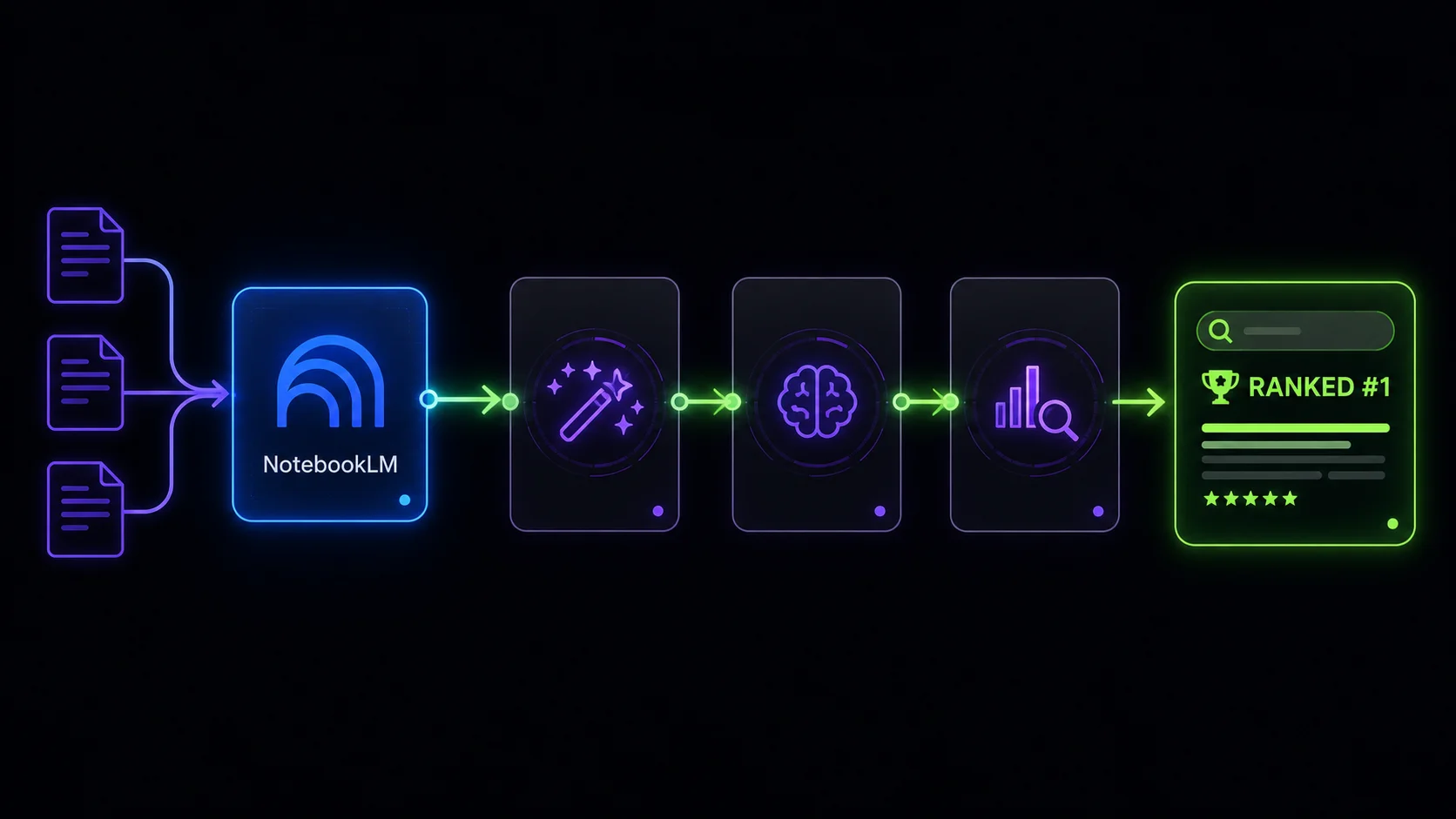
- zlvox Prompt Generator — Craft a sharp, focused prompt for NotebookLM
- NotebookLM — Research, draft, and optionally generate a Video Overview
- zlvox AI Humanizer — Transform AI output into natural, readable prose
- zlvox Meta Analyzer — Optimize SEO tags before publishing
Final Thoughts
The bloggers winning right now are not the ones using the most AI — they are the ones using AI the smartest. This four-step workflow costs you nothing (every zlvox tool is completely free, no signup required) and takes less time than your morning coffee routine once you get the hang of it.
Give it a shot on your next post and see how it performs. And if you have been struggling with AI content that tanks on Google, the AI Humanizer step alone might be the single change that turns things around.
Which tool in this workflow are you most excited to try? Drop your thoughts — we genuinely want to know what is working for you.