I Canceled 6 Paid SaaS Subscriptions and Replaced Them With These Free Tools (No Sign-Up Required)
Last year, I sat down and actually added up what I was paying every month for tools.
PDF editor. Grammar checker. Fake email generator. Invoice software. Dummy data tool. The list kept going.
It came out to around $180 a month. Over $2,000 a year. For tools I used maybe three times a week.
I am not saying those tools are bad. Some of them are genuinely great. But I am a freelance developer. I do not have a company credit card. Every dollar comes out of my own pocket. And honestly, $2,000 a year for utilities felt criminal when I started digging around for alternatives.
That is when I found Zlvox.
I want to be upfront — I am writing this on their blog. But I genuinely use these tools every week, and I genuinely canceled those subscriptions. So here is the honest breakdown of what I replaced, what I use now, and whether it actually holds up.
Why Most Developers End Up Overpaying
It starts small. You need to merge two PDFs one afternoon. You Google it, land on Smallpdf, and it works. You pay $9 for a month. Then you forget to cancel.
Then you need a disposable email for a test account. You sign up for some service. Another $5.
Then a client asks for a quick invoice. You grab some invoicing app. Another $12.
None of these feel expensive individually. But they stack. Before you know it you have six subscriptions quietly draining your account every month, half of which you completely forgot about.
This is exactly what happened to me.
The 6 Tools I Replaced (And What I Use Now)
1. Smallpdf → Zlvox PDF Suite
Smallpdf is fine. It does what it says. But the free tier is extremely limited — you get a handful of operations per day, and the moment you need to do anything serious, it asks you to upgrade.
I was paying $12 a month for it. Mostly just to merge files, compress PDFs before sending them to clients, and occasionally split a large document.
Zlvox PDF Suite does all of this. Merge, split, compress, extract pages, and convert — all in the browser, all free, no watermarks, no daily limits. I have thrown files up to 80MB at it and it handled them without complaining.
Honestly, for a freelancer doing basic document work, this is the free pdf editor best option I have found. There is no login wall. You open it, drag your file in, and it works.
If you have been paying for Smallpdf or a similar service, just try this first. You might not go back.
2. Adobe Acrobat → Zlvox PDF Suite (Again)
Yes, the same tool. But worth mentioning separately because Adobe Acrobat is a different beast — and a different price point.
Acrobat runs about $20 a month for the standard plan. It is powerful, no question. But for most freelancers and developers, 80% of those features go completely unused.
The comparison between free pdf editor adobe alternatives and Acrobat comes up constantly in developer communities, and the honest answer is: if you are not doing advanced form creation or digital signatures for legal documents, you probably do not need Acrobat.
For everyday PDF work — the kind most of us actually do — browser-based tools have caught up. The Zlvox PDF Suite runs entirely client-side, which also means your documents never leave your computer. That matters when you are handling client files.
One thing I do miss from Acrobat: a proper free pdf editor offline mode. The Zlvox suite runs in the browser, so you need a connection. That is a real trade-off if you work on trains or unreliable WiFi. Keep that in mind.
3. Grammarly → Zlvox AI Humanizer
This one surprised me the most.
I was paying $12 a month for Grammarly Premium. I used it mainly to clean up client proposals and blog drafts. The grammar checking is good, but what I actually needed most was for my writing to sound less robotic — especially as I started using AI to help draft things faster.
Zlvox has an AI Humanizer tool. I was skeptical. I tried it.
It is genuinely good. It rewrites stiff, formal, or AI-generated text into something that reads like a real person wrote it. If you are looking for free online paraphrasing tools that do more than just swap words around with a thesaurus, this is worth trying.
I still proofread everything myself. But I stopped paying for Grammarly.
4. Temp Email Service → Zlvox Temp Mail
Every developer knows this problem. You need to test a registration flow. Or you want to sign up for some tool without giving them your real email. Or you are running automated tests that trigger confirmation emails.
I was paying for a temp mail service that gave me a persistent inbox, custom domain support, and API access. It was $8 a month.
The Zlvox Temp Mail is free, live, and requires zero sign-up. You open the page and you already have an inbox. It generates a disposable address instantly.
Now, if you need temp mail api access for automated testing pipelines, this specific tool may not cover that use case — you would still need a paid service for that. But for manual testing and signing up for things without spam? It is perfect. Works better than most temp mail com services I have tried.
5. Invoice Software → Zlvox Invoice Generator
I was paying $15 a month for invoicing software. I send maybe eight invoices a month. The math on that is embarrassing.
The Zlvox Invoice Generator is free. You fill in your details, add line items, and it exports a clean PDF invoice. No account. No branding on the invoice. No monthly fee.
Is it as feature-rich as dedicated invoicing software with automated reminders, payment tracking, and client portals? No. If you have 50 active clients and need that infrastructure, you probably need a proper tool.
But if you are a freelancer sending invoices to a handful of clients and just need them to look professional and arrive as a PDF — this does the job completely.
6. Mockaroo → Zlvox Data Forge
This is the most developer-specific one on the list.
Mockaroo is the go-to tool for generating dummy data for testing. It is great. But the free tier caps you at 1,000 rows per download, and if you need millions of rows for load testing or populating a dev database, you are looking at a paid plan.
Zlvox Data Forge generates massive dummy datasets — names, emails, phone numbers, addresses, custom fields — and exports to CSV, JSON, or SQL. I tested it with 500,000 rows. It did not slow down. If you need pdf joiner software free alternatives, the Zlvox suite handles that, and Data Forge handles your testing data in the same place.
I have not touched Mockaroo since.
What I Actually Gave Up
I want to be honest here because I think a lot of "I switched to free tools" posts skip this part.
There are real trade-offs.
Offline access is the biggest one. All of these tools run in the browser. If you need to work without internet, you are stuck. Dedicated desktop software still wins there.
Advanced features are the other trade-off. If you need Acrobat-level form editing, or Grammarly's real-time suggestions inside Google Docs, or invoice software with automated payment reminders — the free alternatives do not fully replace those workflows.
But here is what I kept asking myself: am I actually using those features, or am I just paying for the comfort of knowing they exist?
For me, the answer was almost always the second one.
The Actual Monthly Savings
Here is the breakdown of what I cut:
- Smallpdf: Paid $12/mo → Replaced with Zlvox PDF Suite ($0)
- Adobe Acrobat: Paid $20/mo → Replaced with Zlvox PDF Suite ($0)
- Grammarly Premium: Paid $12/mo → Replaced with Zlvox AI Humanizer ($0)
- Temp Mail Service: Paid $8/mo → Replaced with Zlvox Temp Mail ($0)
- Invoice Software: Paid $15/mo → Replaced with Zlvox Invoice Generator ($0)
- Mockaroo Pro: Paid $20/mo → Replaced with Zlvox Data Forge ($0)
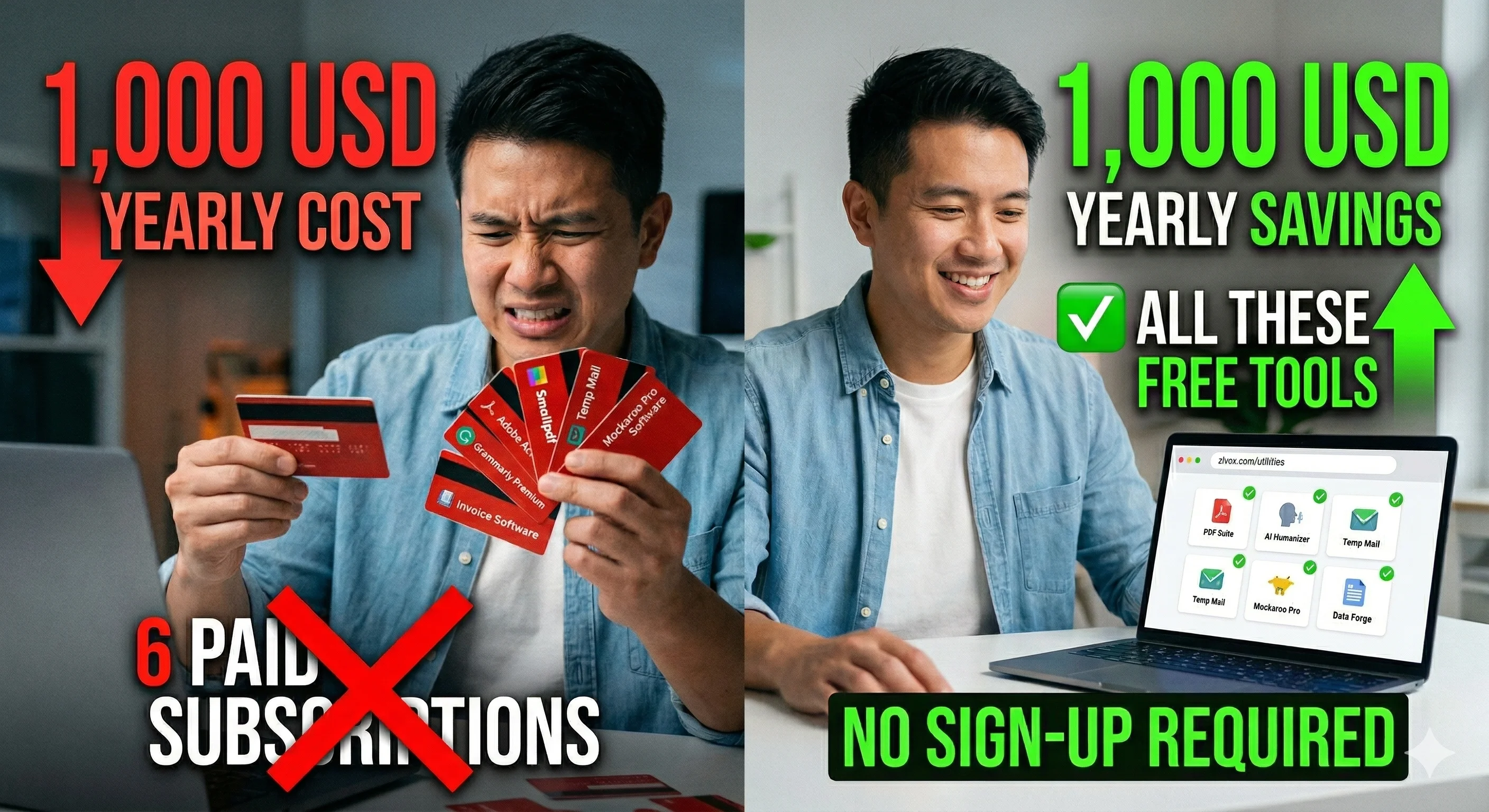
Total Savings: $87 a month. Over $1,000 a year.
I kept Acrobat off the list initially because I thought I needed it. I dropped it after two weeks of using the Zlvox PDF Suite and not missing anything I actually used.
Should You Do the Same?
Honestly, it depends on what you need.
If you are a solo developer or a freelancer who is watching their expenses, yes — try the free versions first before locking yourself into subscriptions. Most of the time, you will find that 90% of what you need is covered without paying anything.
If you are part of a team with shared workflows, automated pipelines, and enterprise compliance requirements, some paid tools are absolutely worth it. I am not saying free is always the right answer.
But for the average person sitting at a laptop, working on their own projects or serving a handful of clients? You are probably paying for things you do not need.
Try Zlvox. It costs nothing to find out.